A note on this case study. FigSchema is my own product, built and run solo. Unlike my other case study, this one is shipped and live - every number below is a real, current result, not a target.
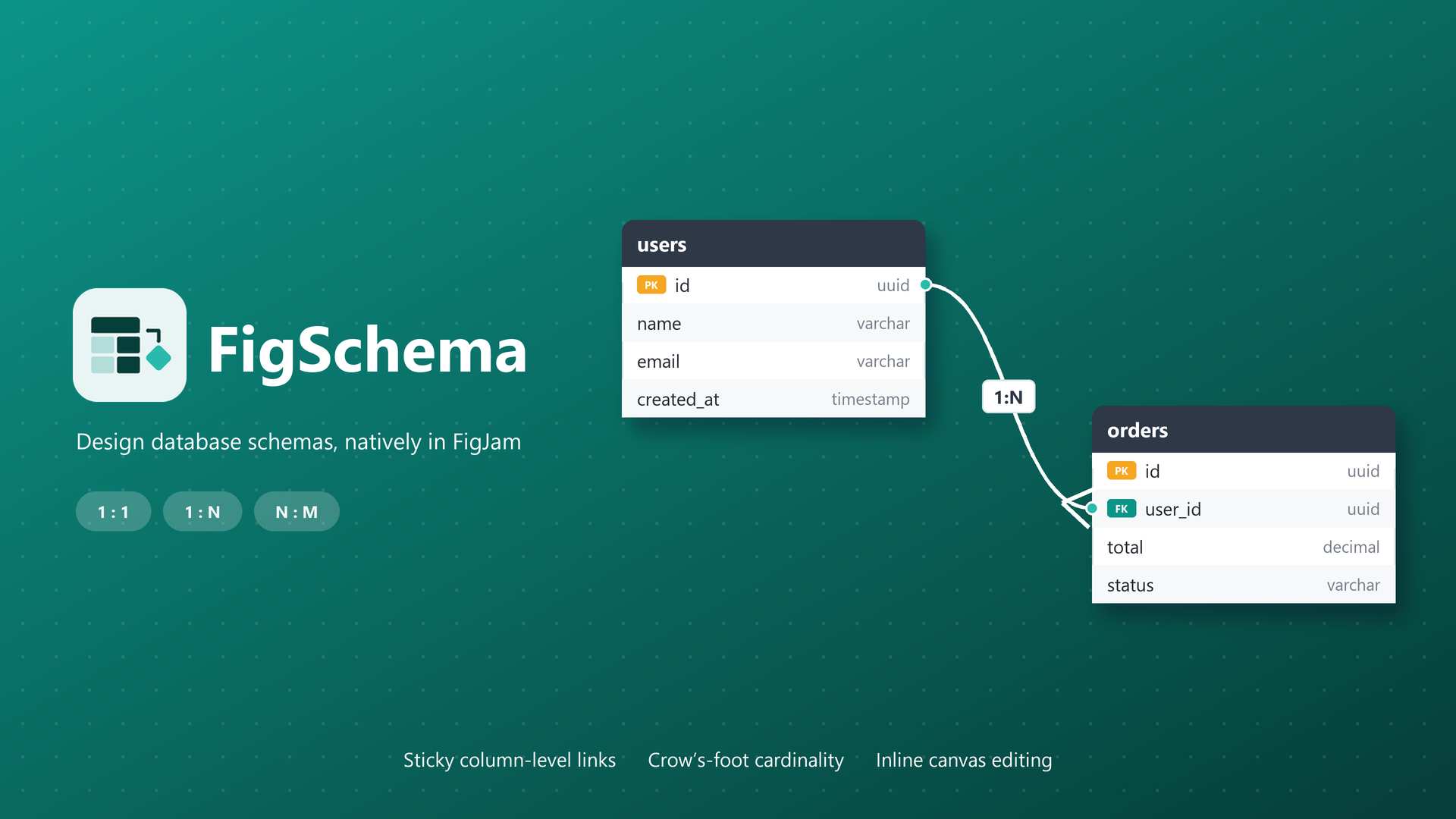 FigSchema: database schemas drawn directly on the FigJam canvas.
The Problem
Six to eight months before I wrote a line of code, my company moved from draw.io to Figma for all documentation - including backend architecture and ER diagrams. The migration solved the collaboration problems (local files, no syncing, nobody notified of changes), but it exposed a new one: there was no good way to draw a proper ER diagram in FigJam.
The architects who needed those diagrams were working around it with a basic FigJam ERD widget - and the workaround failed in two ways that mattered. First, columns were locked to the widget’s preset data types: if your actual type wasn’t on the list, you picked a wrong one and the diagram lied. Second, relationships between tables couldn’t be drawn properly - and an ER diagram without trustworthy relationships is just boxes.
The people feeling this weren’t designers. They were solution architects drawing schemas so backend developers could build and modify the actual database tables. The diagrams were working artifacts for engineers, and the tooling treated them like decoration.
I watched all of this for months before acting. Around six weeks before launch, I came back to it and decided it was a problem worth solving - worth my nights and weekends, worth being the engineer, designer, support desk, and distribution channel all at once.
Why FigJam, and why a plugin at all
The positioning decision came from reading Figma’s platform documentation, not from habit. Figma’s native capabilities that align with diagram-style content - sticky connectors, canvas-level relationships - exist in FigJam files and not in Figma design files. That single fact from the docs shaped the whole product.
The business logic stacked on top of it:
- Companies like mine already pay for Figma. A standalone diagramming tool is a second bill for the same whiteboard.
- Any tool outside Figma reintroduces the context switching and sync problems that made the company abandon draw.io in the first place.
- The diagram belongs next to the whiteboard session where the schema was discussed - not exported into a repo nobody comments on.
So: a FigJam plugin, for the tool the team was already in. The primary users - backend developers, solution architects, DBAs - haven’t changed since.
Design decisions
Column-level relationships. Figma’s native connectors attach shape-to-shape, center to center. A database relationship is not between two tables; it’s between two columns - orders.customer_id references customers.id. Making connectors attach at the column level, and stay attached as shapes move, was the core design problem the existing widget never solved.
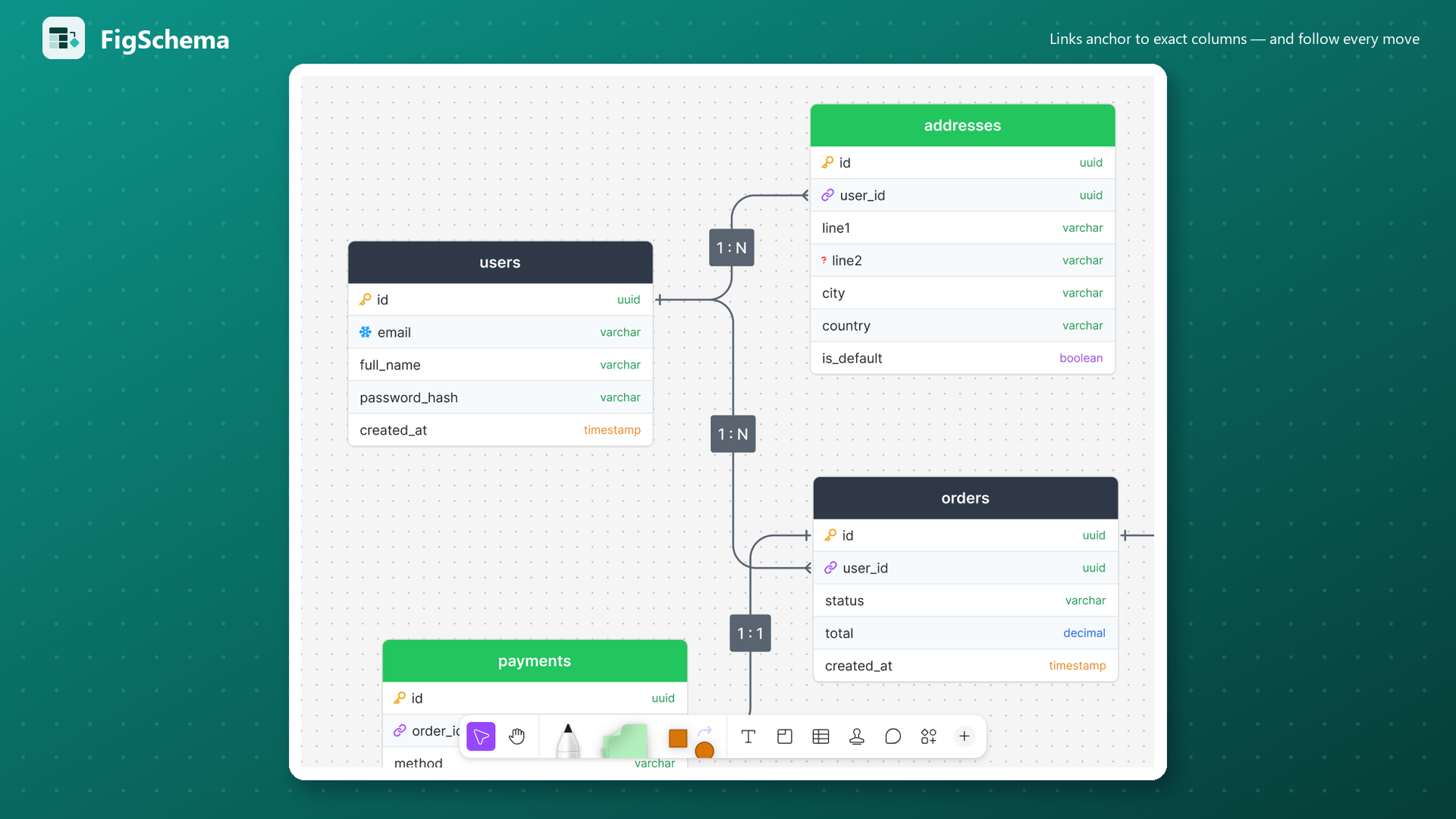 Column-level links: each relationship anchors to the exact column, with cardinality on the canvas.
Ship the smallest useful thing. V1 did exactly four things: create tables, edit them, relate multiple tables, and change relationship types. Nothing else. I shipped it deliberately rough - V1 had issues I wouldn’t accept today - because the fastest way to learn was to have it in real hands. Figma’s versioning forced every release to be a full number, which turned the iteration history into a public ledger: V1 through V8, each with visible fixes and features.
The crash that changed the architecture. Around V3-V4, I tested the plugin on my company’s real FigJam file: 90-100 pages of actual schema work. It crashed. My own test files had never exceeded a page or two, so the failure only existed in the environment users actually lived in. The fix was architectural, not a patch: stop processing the entire file, process the current page. It shipped as v4.0 on September 16 - the changelog entry reads “stays fast and stable no matter how large the document is” - and the very next release patched the last edge case in that scan. It’s the difference between a demo that works and a tool that survives.
Cutting the product to fit the platform. The first versions supported multiple Figma file types. Maintaining that meant building custom implementations for capabilities FigJam already provided natively - a second codebase doing worse what the platform did better. I had to choose: dual-track the code, or make the plugin FigJam-only. Version 6.0 (September 23) cut Figma design files entirely and went all-in on FigJam, rebuilt relationships on native FigJam connectors, and added full crow’s-foot cardinality - the release note is explicit that existing diagrams stay intact, because abandoning your users’ work was never on the table. It narrowed the market on paper and made every subsequent version better on the platform that mattered.
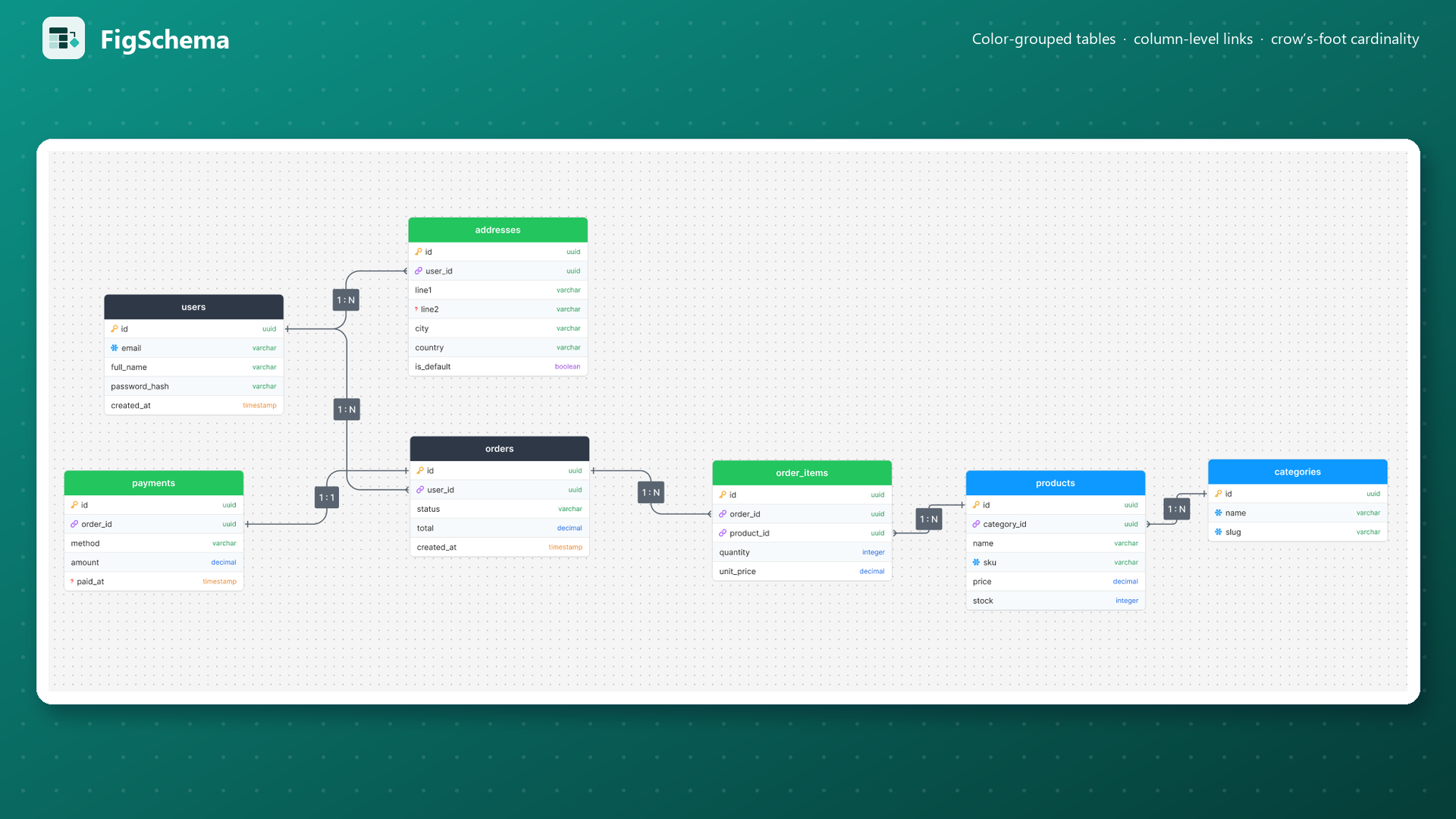 The kind of multi-table schema the existing widget couldn’t hold together.
The build
Solo, end to end - TypeScript compiled to Figma’s plugin JavaScript, plain HTML for the UI, and one person doing problem discovery, design, development, release management, and support. Eight public releases so far, each one shipped to real users.
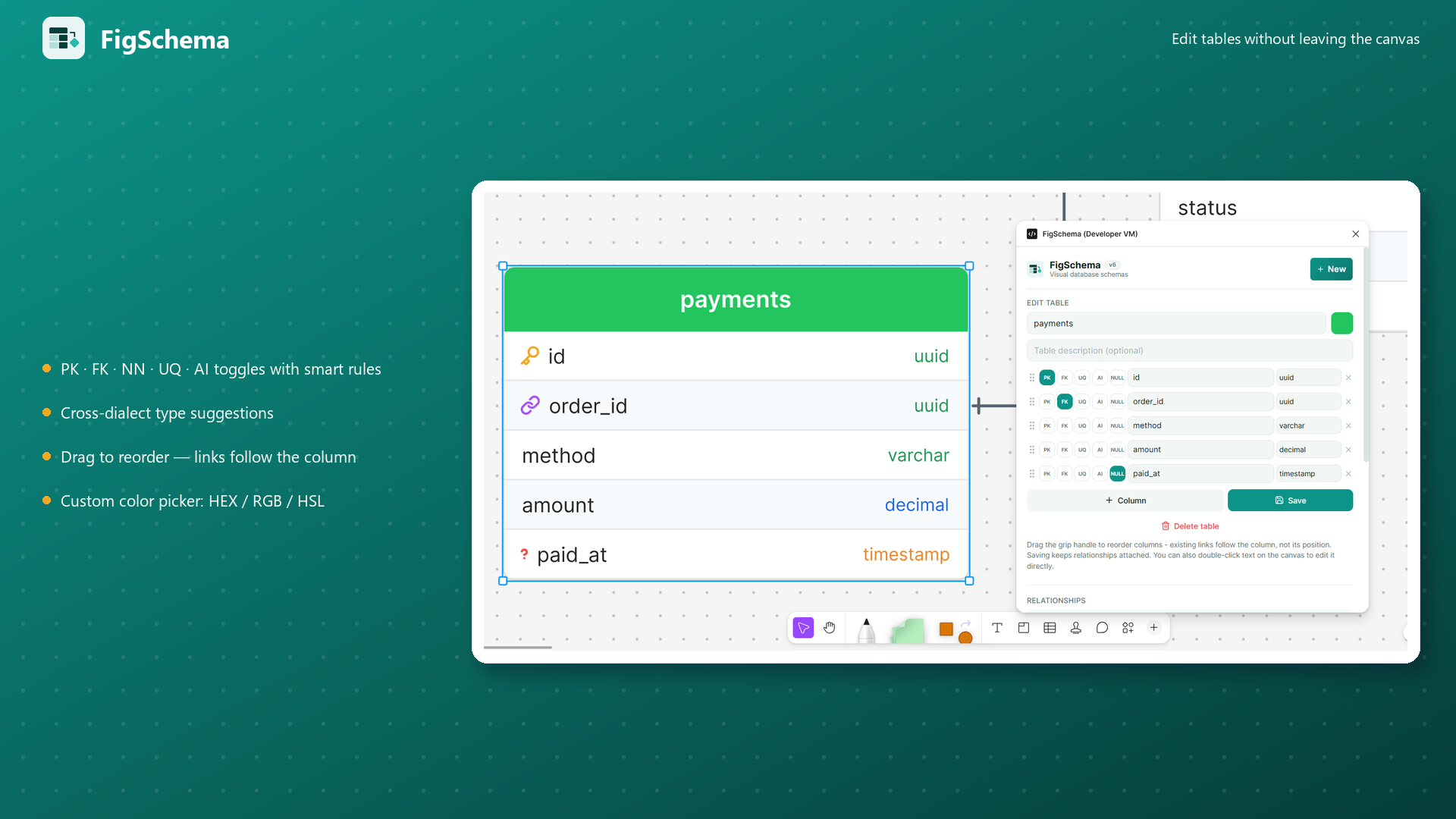 The edit panel: every column carries its keys, constraints, and type - edited in place on the canvas.
Launch - and what the numbers say so far
FigSchema went live on Figma Community on September 7, 2026. I have done no marketing: no Reddit, no X, no LinkedIn, no dev communities. Every one of the 137 users found it through Figma Community’s own search and listings.
The version history tells the traction story on its own: seven releases in the first month - the large-file fix (v4), the FigJam-only rebuild on native connectors with crow’s-foot cardinality (v6), table search and duplication (v7), and SQL & DBML export for four database dialects (v8, October 8). Every release is documented publicly in the changelog.
I’m being deliberately precise about what that number is and isn’t. It’s real adoption with zero distribution - evidence the Community search surface surfaces the product for people already looking. It is not evidence of product-market fit: 137 installs with no likes, comments, or reviews yet means adoption and enthusiasm are showing up as different signals, and I don’t yet know why the people who need it aren’t talking about it. Answering that - through distribution channels and direct user conversations - is the work of the next phase, which is starting now with LinkedIn, X, and short-form video.
Where it’s going: pricing as a product decision
The canvas will never be gated - unlimited tables, relationships, and templates stay free in FigSchema Core, because the free canvas is what earns Community search ranking and word of mouth. Monetization sits on the workflow after the diagram: Pro ($29 founding price, one-time) unlocks unlimited SQL DDL export across PostgreSQL, MySQL, SQL Server, and SQLite, SQL import, and data-dictionary export; Studio ($69 founding) adds a cross-platform desktop app. Hitting the free export limit surfaces the Pro waitlist in one click - so the paywall itself is a discovery instrument, and every objection becomes a waitlist signup.
The model is deliberate: one-time licenses instead of subscriptions for a tool people already pay Figma for, founding prices capped at the first 100 licenses to reward early adopters, and 100% offline processing so “your schemas stay in your file” remains true even after you pay.
What I’d do differently
Start distribution before writing code. I treated distribution as a post-launch problem, and it cost me six weeks of feedback that early users would have given me for free. The observation that started this project sat unused for months because I never asked a single architect what would make them switch. Building in public from V1 would have compressed that.
What it taught me that PM work hadn’t
At work, stakeholders compliment requirements in meetings - politeness is free. On Figma Community, 137 people installed the plugin and almost nobody left a like or a comment. Adoption and enthusiasm are different signals, and learning to find out why people who need a product don’t rave about it is the actual job.
And where my catalog case study ended with constraints written as tickets for someone else to negotiate, FigSchema had constraints I couldn’t lobby anyone to change: Figma’s versioning scheme, connectors that attach center-to-center, native capabilities that exist only in FigJam files. Working with a platform’s fixed constraints is a different discipline from writing requirements where the constraint is a negotiable line item - and it’s made me better at telling which constraints in enterprise product work are actually negotiable, and which just look that way.